Unlimited Video Magic. 100% Local.
Background removal, face swap, virtual camera — all running on your hardware. No uploads. No limits. No compromises.
Free to start No account requiredWindows & macOS
Everything You Need. Nothing You Don't.
One app, six superpowers. From live streaming to file exports, Unscreen Studio has you covered.
Real-Time Background Removal
Remove, replace, or blur your background live from your webcam. Studio-grade results in real time — no green screen needed.
Virtual Camera Output
Route your clean feed directly into Zoom, OBS, Teams, or any app that accepts a camera. One click to go live.
Live Face Swap
Transform your appearance on camera in real time. Choose from a curated gallery of presets or use your own portrait.
Video File Processing
Drop in any video file and get a clean background-free export. Same powerful engine, applied frame by frame to your footage.
Custom Backgrounds
Solid colors, your own photos, or a soft blur — pick the perfect backdrop for every scene. Drag, drop, done.
Built-In Media Downloader
Grab content from popular platforms right inside the app. Download, process, and export — all in one workflow.
Every Feature, One Beautiful App
From live camera effects to file processing and media downloads — here's what Unscreen Studio looks like on your desktop.
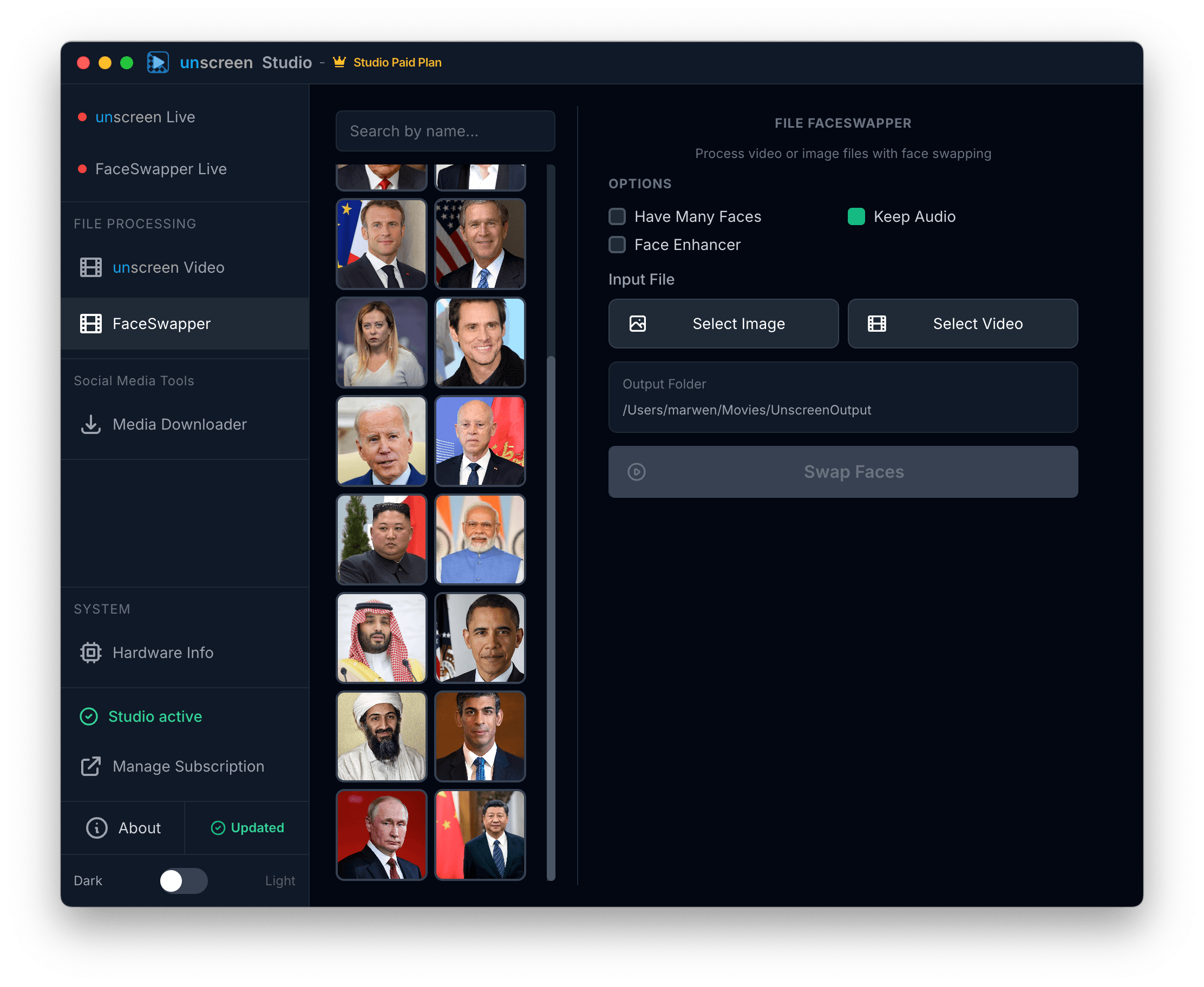
Swap Faces in Any Video or Image
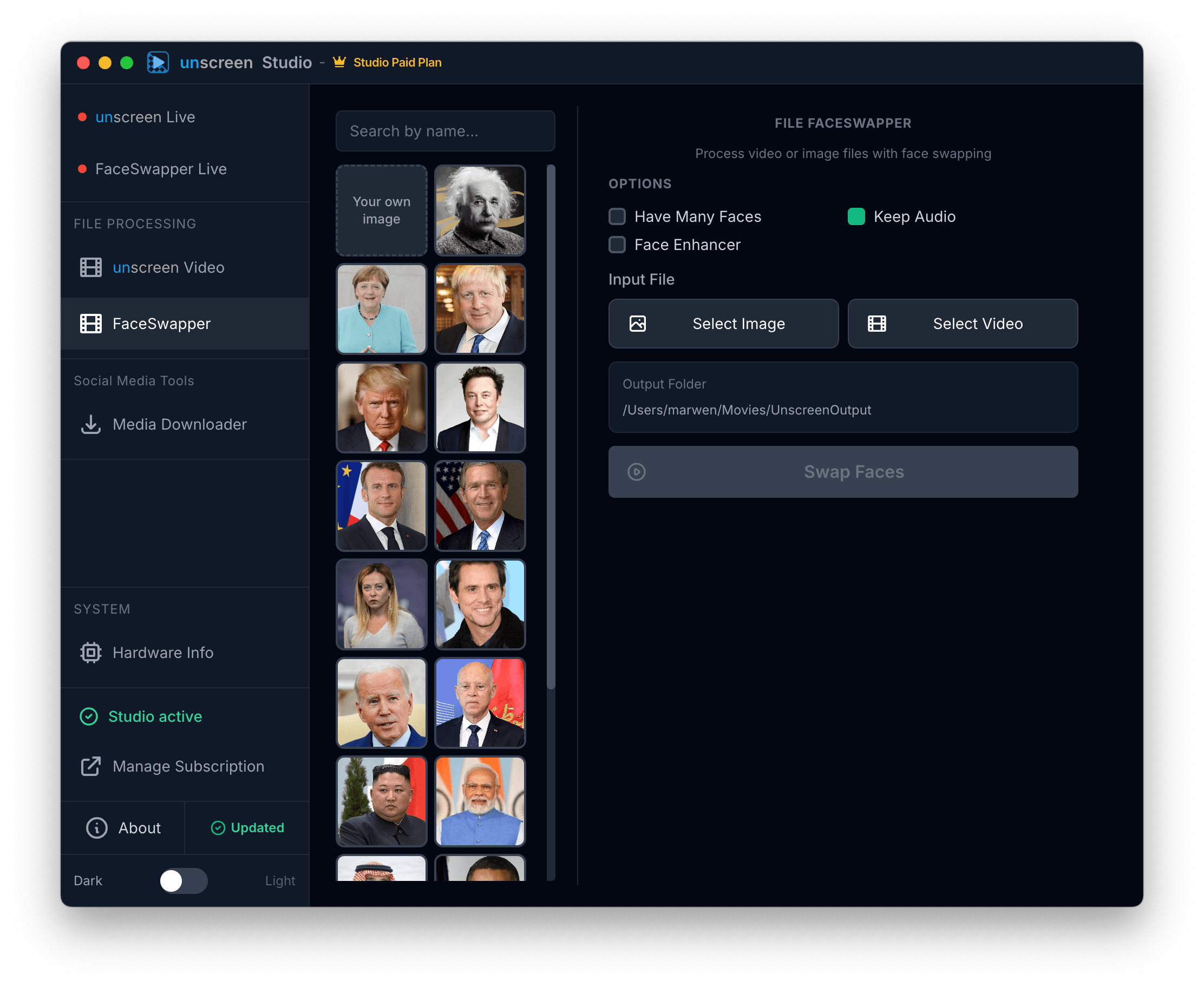
Pick a face from the built-in gallery or upload your own portrait. Select any video or image file, hit Swap — and watch the magic happen. Keep the original audio, apply face enhancement, and handle scenes with multiple faces effortlessly.
Try it free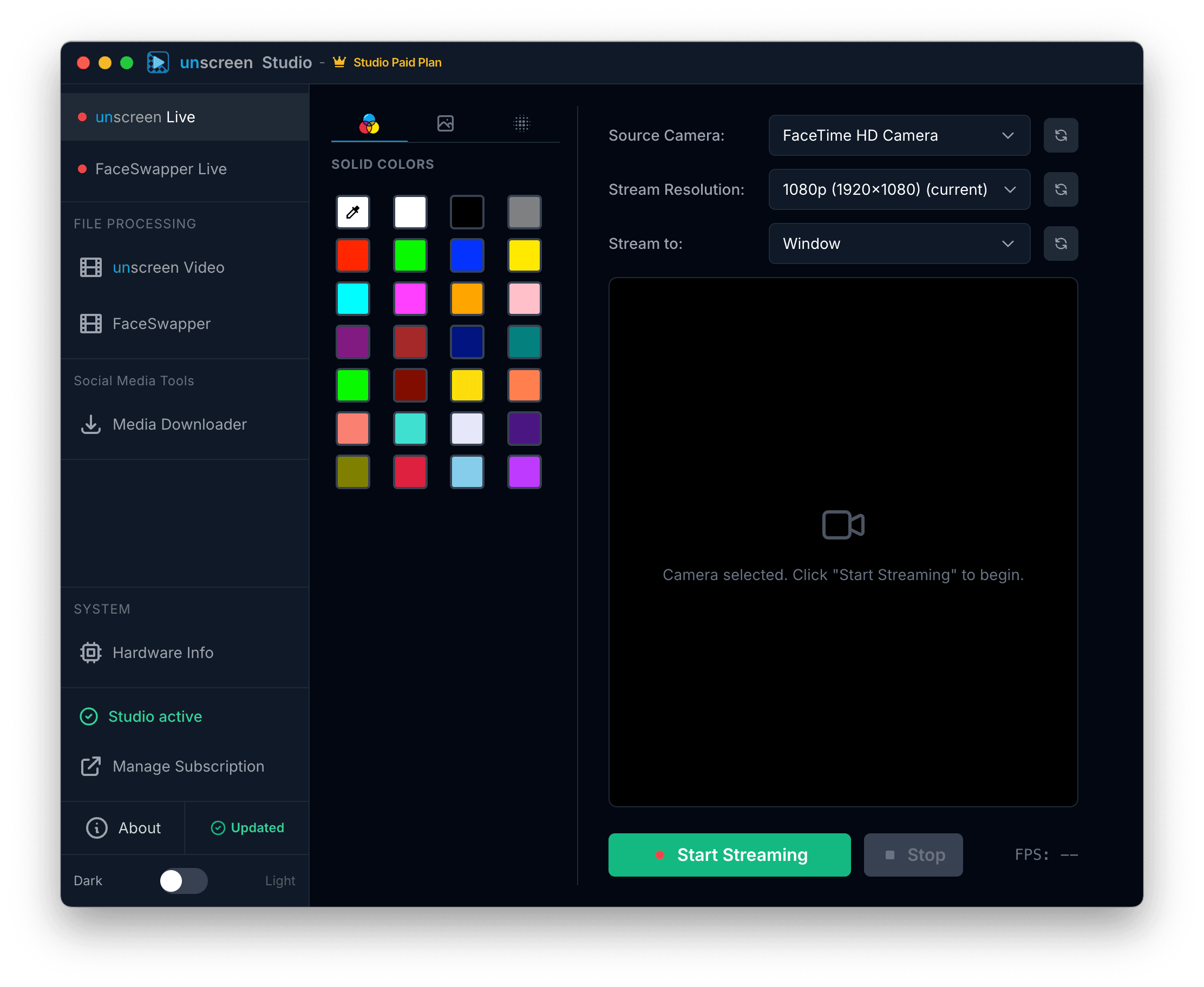
Your Personal Green Screen Studio
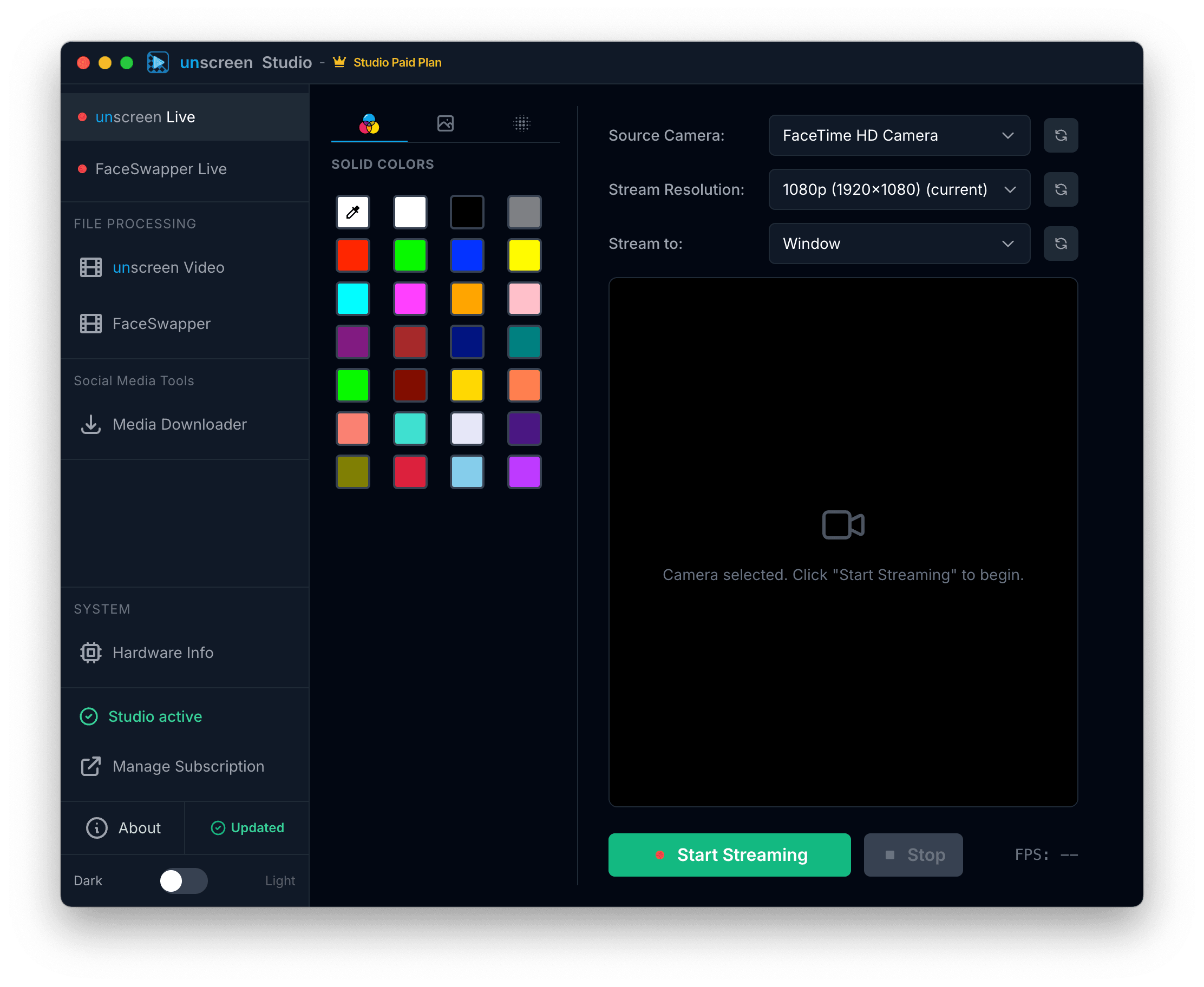
Choose from dozens of vibrant solid colors to instantly replace your background. Select your camera, pick a resolution up to 1080p, and stream the clean feed to a virtual camera or a dedicated preview window. No physical green screen required.
Try it free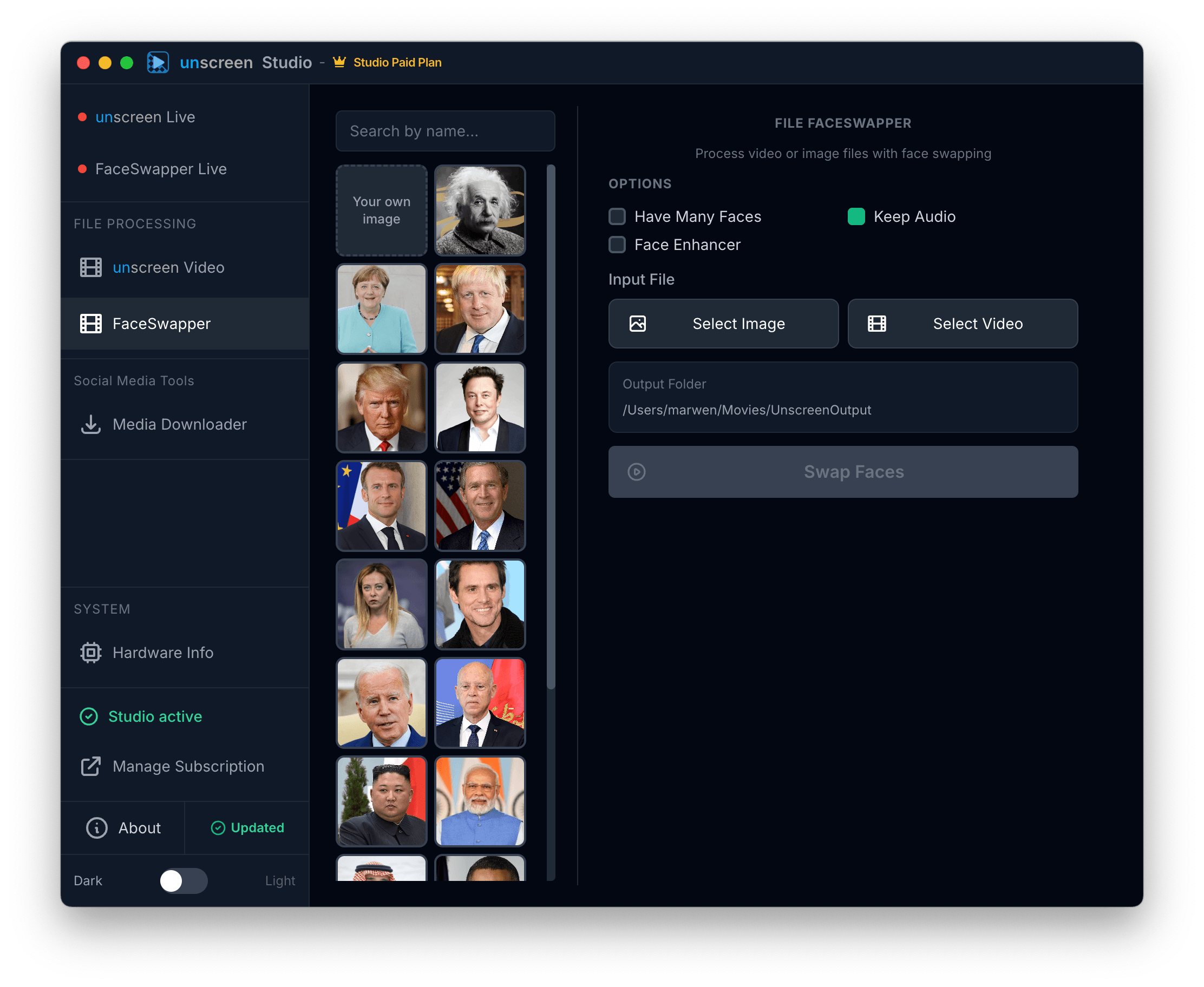
A Gallery of Faces at Your Fingertips
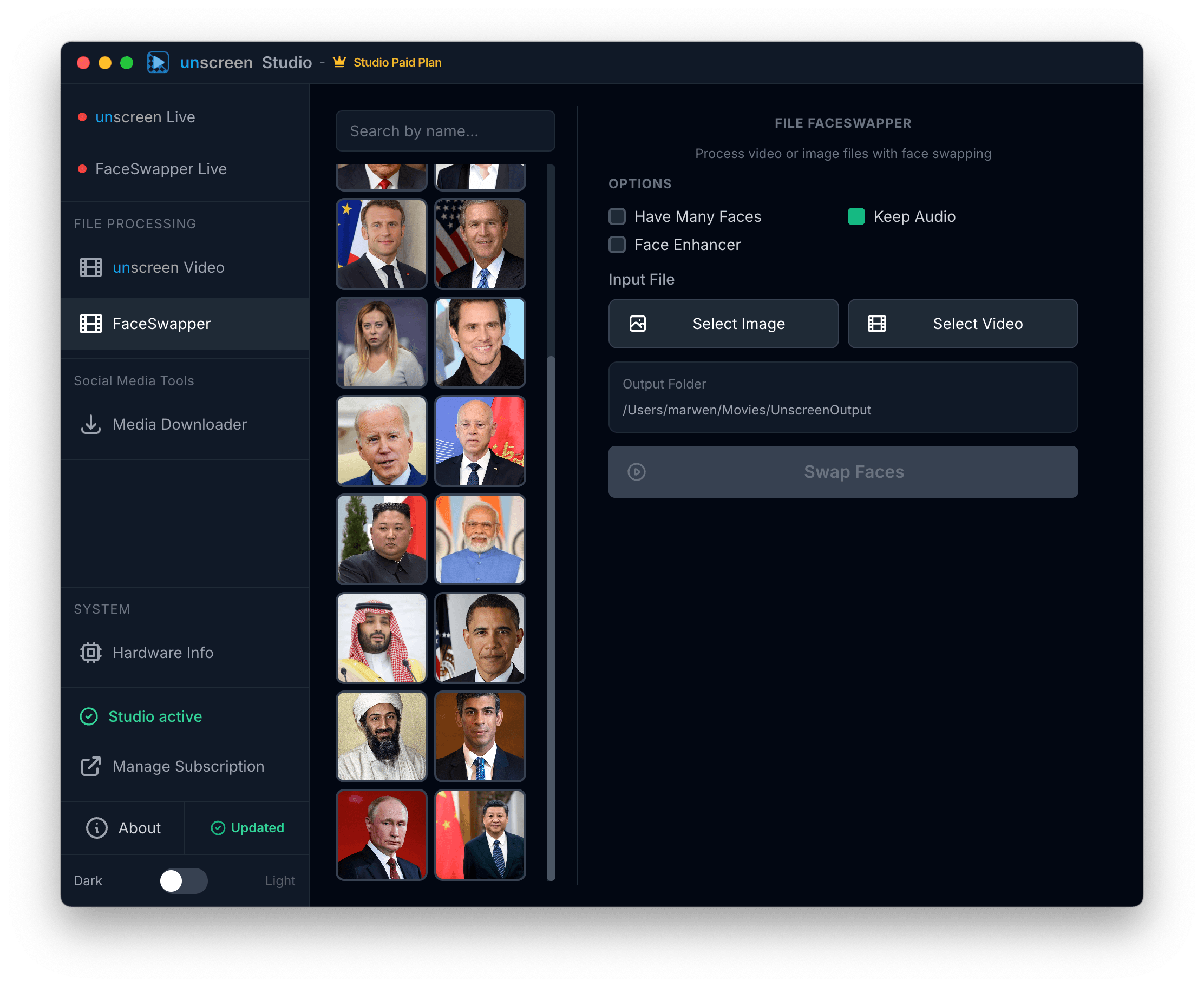
Browse a rich, searchable gallery of curated face presets — or upload your own portrait for a fully custom swap. Works on both live camera streams and file exports. Face Enhancer polishes every detail for photorealistic results.
Try it free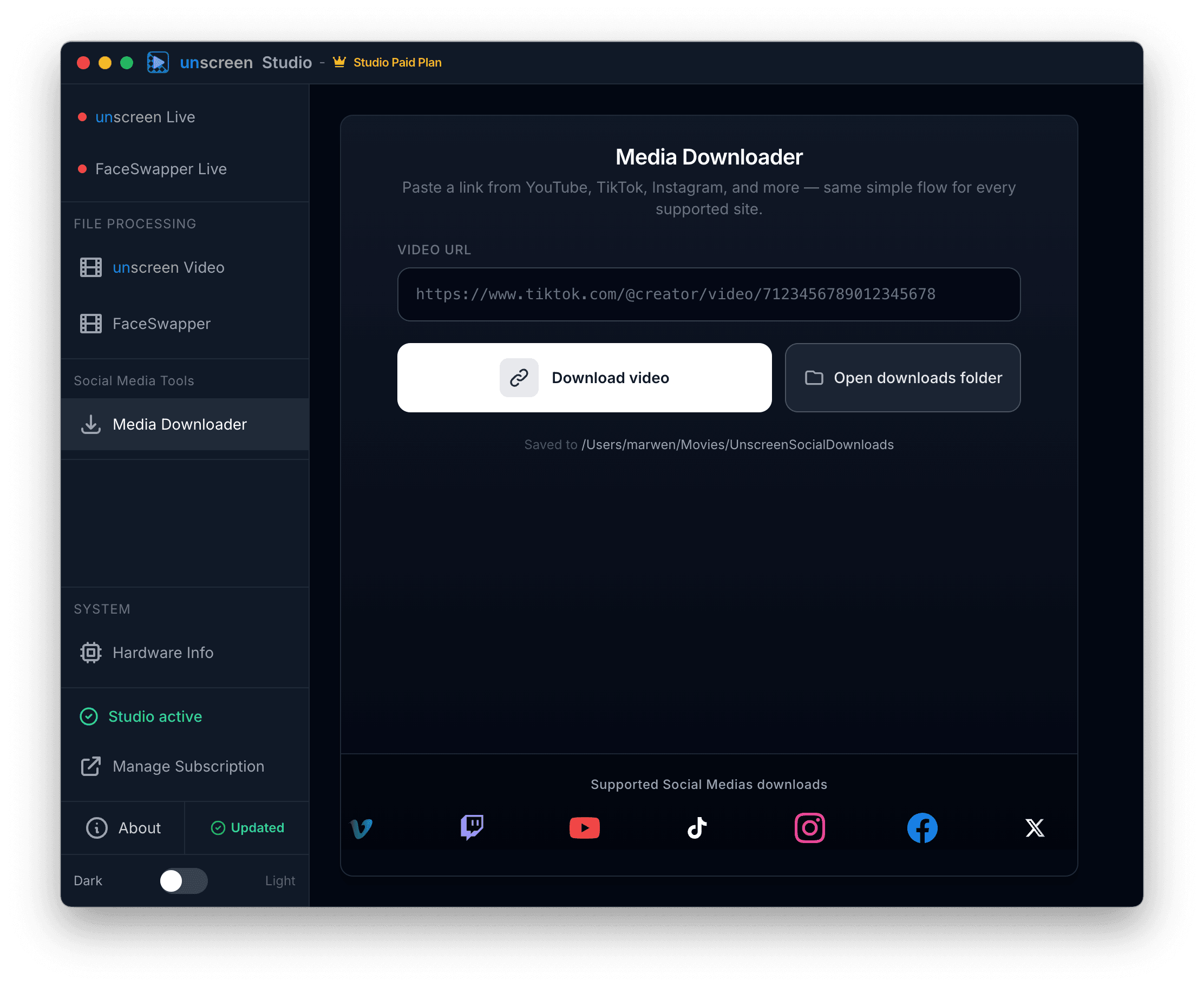
Download From Anywhere. Process Locally.
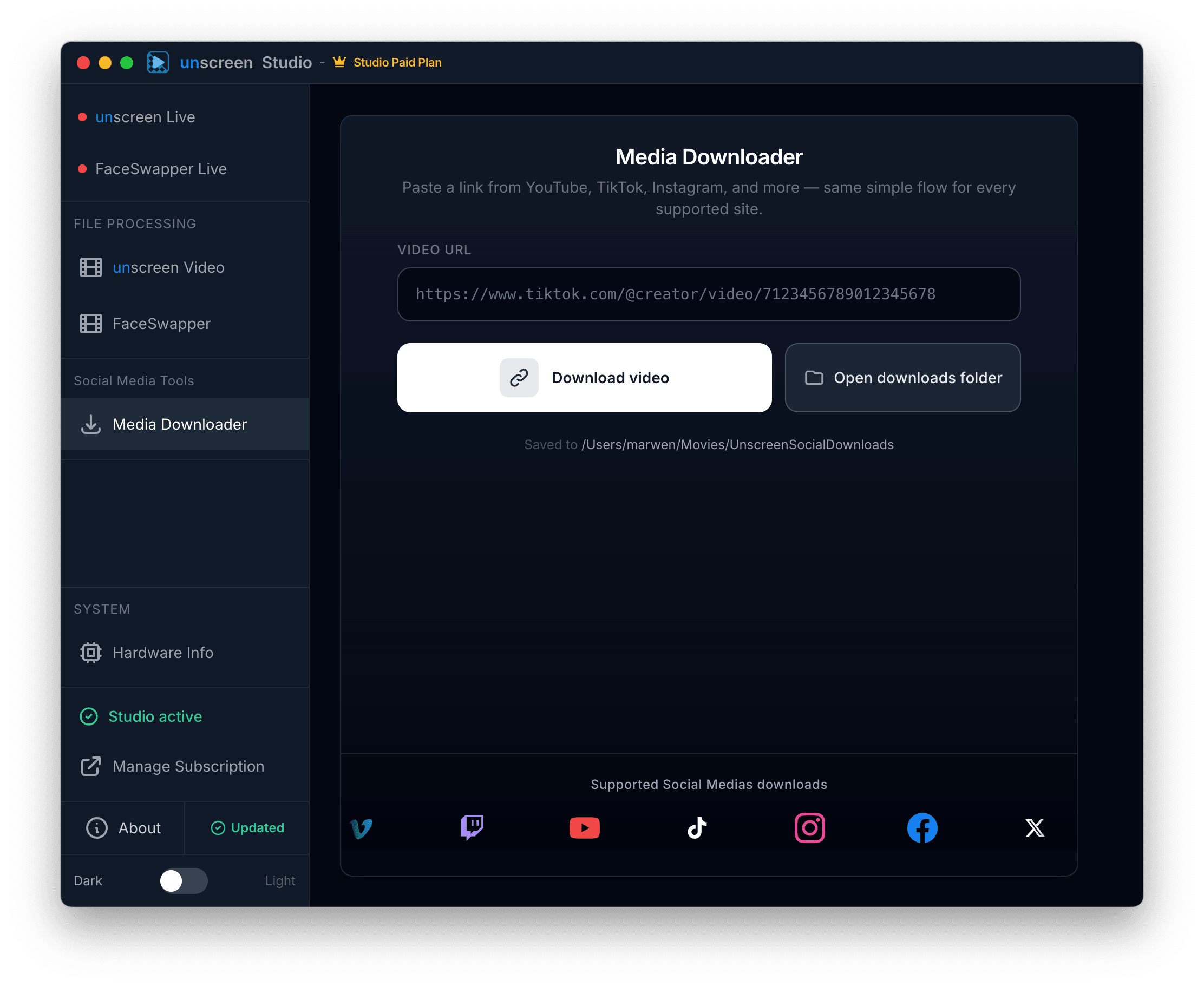
Paste a link from YouTube, TikTok, Instagram, Facebook, Twitch, Vimeo, X, and more. The built-in media downloader grabs the content, then you can process it right inside the app — all in one seamless workflow.
Try it freeYour Videos Never Leave Your Computer.
Unlike cloud services, Unscreen Studio runs entirely on your machine. Your footage, your face, your data — it all stays right where it belongs. With you.
Your Data Stays Yours
Every frame is processed on your machine. Nothing is uploaded, streamed, or stored in the cloud. Ever.
Blazing Fast
No network latency, no waiting for server queues. Hardware-accelerated processing delivers instant results.
Truly Unlimited
No per-video credits. No watermarks. No usage caps. Process as many videos as you want, forever.
Works Offline
Take it on a plane, use it in a bunker. Once installed, the app works with zero internet connection.
100% On-Device
No cloud. No APIs. No middlemen.
0
Data uploaded
∞
Videos processed
0
Watermarks
24/7
Offline access
Three Modes. One App.
Whether you're live-streaming, editing files, or just having fun, Unscreen Studio adapts to your workflow.
Mode 01
Live Background Removal
Pick your camera, choose a background (or none), and hit Start. Your clean feed is instantly available as a virtual camera for any app.
Virtual CameraBlurCustom BGSolid Colors
Mode 02
Live Face Swap
Select a face preset or upload your own portrait. Toggle it on and your transformed look streams live — perfect for content creation.
Preset GalleryCustom PortraitsReal-TimeAdjustable
Mode 03
File Processing
Drop in a video or image file. The same powerful engine processes every frame. Export a clean, background-free file with original audio intact.
Video ExportKeep AudioAll FormatsBatch Ready
And There's More…
Dark & Light Theme
Easy on your eyes, day or night.
Hardware Dashboard
See at a glance if your GPU is being utilized for maximum speed.
Preview Window
Dedicated preview window so you see exactly what your audience sees.
Regular Updates
New features and improvements shipped continuously.
Download Unscreen Studio
Free to download. Free features included. Upgrade to Studio when you're ready.
By downloading you agree to our Terms of Service.
Studio features require a one-time online activation.
Free vs Studio
Start free, upgrade when you're ready.
| Feature | Free | Studio |
|---|---|---|
| Live Background Removal | ||
| Virtual Camera Output | ||
| Live Face Swap (Presets) | Limited | Full Gallery |
| Custom Face Portraits | — | |
| Face Enhancer | — | |
| HD / High-Res Streaming | — | |
| Video File Processing | ||
| Media Downloader | Limited | Unlimited |
| Priority Updates | — |
Ready to Unscreen
Like a Pro?
Join thousands of creators who've ditched cloud uploads for the speed, privacy, and freedom of Unscreen Studio.